Cursor vs GitHub Copilot (2026): Full Comparison | Vorexen
Artificial intelligence has fundamentally changed software development, making coding faster, smarter, and more efficient than ever before. Among the leading AI-powered coding assistants, Cursor and GitHub Copilot have emerged as two of the most popular choices for developers.
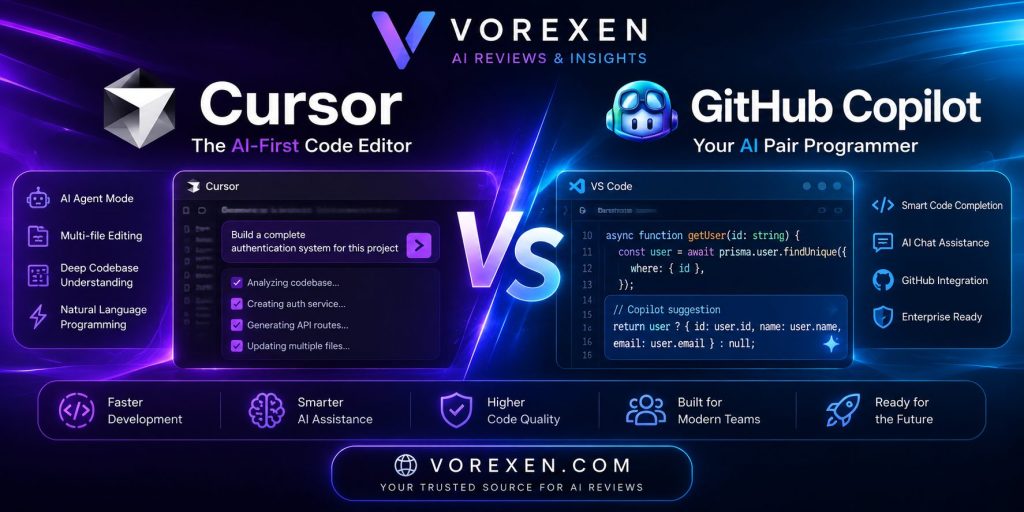
Although both tools leverage advanced large language models to assist with programming tasks, they are designed with different philosophies. Cursor is built as an AI-first code editor with powerful autonomous coding features, while GitHub Copilot integrates seamlessly into existing IDEs and development workflows.
This in-depth comparison explores their features, strengths, weaknesses, pricing, and ideal use cases to help you choose the best AI coding assistant in 2026.
What Is Cursor?
Cursor is an AI-powered code editor built on Visual Studio Code. Unlike traditional coding assistants, Cursor places AI at the center of the development experience, enabling developers to edit, refactor, understand, and generate code using natural language.
Cursor supports advanced AI agents capable of analyzing entire codebases, making multi-file edits, generating new features, debugging applications, and automating repetitive programming tasks.
Key Features
- AI-first code editor
- Multi-file editing
- AI Agent Mode
- Codebase understanding
- Natural language programming
- Smart autocomplete
- Terminal assistance
- Built-in chat
- Code refactoring
- Git integration
What Is GitHub Copilot?
GitHub Copilot is Microsoft’s AI coding assistant developed in collaboration with OpenAI. It integrates directly into popular IDEs such as Visual Studio Code, JetBrains IDEs, Visual Studio, and Neovim.
Copilot specializes in intelligent code completion, function generation, documentation, debugging assistance, and code explanations while allowing developers to continue using their preferred development environment.
Key Features
- AI code completion
- AI chat
- Pull request assistance
- Documentation generation
- Unit test creation
- Code explanation
- Debugging suggestions
- IDE integration
- GitHub ecosystem integration
User Interface & Developer Experience
Cursor
Cursor feels like a completely redesigned IDE where AI is the primary interface. Developers can interact with their entire project using natural language and ask the AI to perform complex development tasks across multiple files.
The interface is modern, responsive, and optimized for AI-assisted development.
Best for
- Full-time developers
- Startup teams
- AI-first workflows
- Large projects
GitHub Copilot
GitHub Copilot focuses on enhancing existing workflows rather than replacing them. Developers continue working inside their favorite IDE while Copilot provides contextual suggestions and AI assistance.
Best for
Existing VS Code users
Enterprise developers
Teams already using GitHub
Developers who prefer minimal workflow changes
AI Coding Performance
Cursor excels at understanding large codebases and making coordinated changes across multiple files. Its AI Agent can complete high-level programming tasks with minimal supervision.
GitHub Copilot provides excellent inline suggestions, function generation, and coding assistance but generally requires more developer guidance for complex, multi-step tasks.
Winner: Cursor
AI Agent Capabilities
One of Cursor’s biggest advantages is its advanced AI Agent Mode.
Developers can request tasks such as:
- Build a complete authentication system
- Refactor the entire project
- Fix all TypeScript errors
- Create REST APIs
- Optimize application performance
- Generate database models
Cursor can analyze dependencies and modify multiple files automatically.
GitHub Copilot has introduced agent-like capabilities, but its automation remains more conservative and is primarily designed to assist rather than independently execute large-scale project changes.
Winner: Cursor
Code Completion
GitHub Copilot is widely recognized for fast and accurate inline code completion across dozens of programming languages.
Cursor also offers intelligent autocomplete but places greater emphasis on conversational coding and AI-driven project understanding.
Winner: GitHub Copilot
Codebase Understanding
Cursor can understand relationships between files, classes, APIs, documentation, and project architecture.
This allows developers to ask questions like:
- Explain this repository
- Find performance issues
- Refactor duplicated code
- Locate security vulnerabilities
GitHub Copilot provides contextual assistance but generally offers less comprehensive project-wide understanding.
Winner: Cursor
Supported Programming Languages
Both platforms support popular languages including:
- Python
- JavaScript
- TypeScript
- Java
- C#
- Go
- Rust
- PHP
- Ruby
- Swift
- Kotlin
- C++
- SQL
Winner: Tie
IDE Support
Cursor is a standalone AI-first editor based on Visual Studio Code.
GitHub Copilot supports numerous development environments, including:
- Visual Studio Code
- Visual Studio
- JetBrains IDEs
- Neovim
- Xcode (limited support)
Winner: GitHub Copilot
Collaboration
GitHub Copilot integrates deeply with:
- GitHub
- Pull Requests
- GitHub Actions
- Enterprise workflows
Cursor emphasizes individual productivity and AI-assisted coding rather than GitHub-native collaboration.
Winner: GitHub Copilot
Pricing
Both tools offer free options with limitations and paid plans for professional use. Pricing and features may change over time, so always check the official websites for the latest details.
Pros and Cons
Cursor
Pros
- Excellent AI Agent
- Deep project understanding
- Multi-file editing
- AI-first workflow
- Fast development
- Great for large codebases
Cons
- Requires switching to a new editor
- Smaller ecosystem than GitHub
GitHub Copilot
Pros
- Outstanding autocomplete
- Mature ecosystem
- Excellent IDE support
- GitHub integration
- Enterprise-ready
Cons
- Less autonomous than Cursor
- Limited project-wide reasoning compared with AI-first editors
- Best Use Cases
Choose Cursor if you:
- Build complex software projects
- Want autonomous AI coding
- Work with large repositories
- Prefer AI-first development
- Need advanced code refactoring
Choose GitHub Copilot if you:
- Already use VS Code or JetBrains
- Work heavily with GitHub
- Want reliable code completion
- Collaborate in enterprise teams
- Prefer enhancing your existing workflow
Frequently Asked Questions
Is Cursor better than GitHub Copilot?
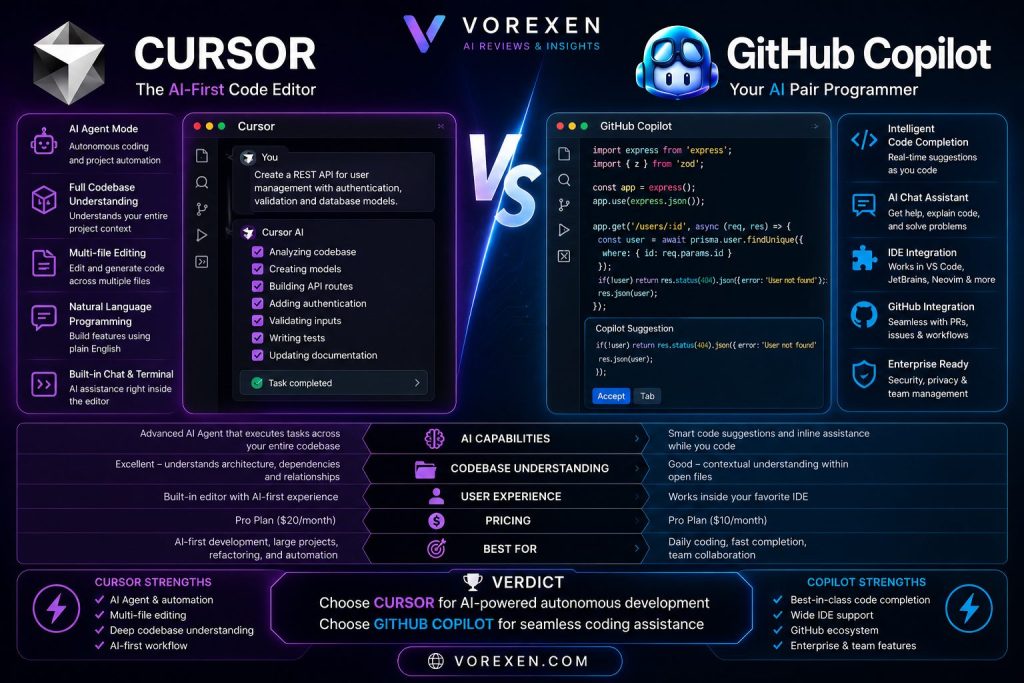
Cursor is generally stronger for AI-assisted project development, codebase understanding, and autonomous coding workflows. GitHub Copilot remains an excellent choice for developers who value seamless IDE integration and best-in-class code completion.
Which is better for beginners?
GitHub Copilot is often easier for beginners because it works within familiar IDEs and offers straightforward code suggestions without requiring a new workflow.
Which AI is better for large projects?
Cursor is particularly well-suited for large, multi-file projects thanks to its advanced codebase awareness and AI agent capabilities.
Can I use both?
Yes. Many professional developers use GitHub Copilot for inline code completion while relying on Cursor for project-wide refactoring, architecture changes, debugging, and AI-assisted development.
Final Verdict
Both Cursor and GitHub Copilot are among the best AI coding assistants available in 2026, but they serve different development styles.
If you want an AI-first development environment capable of understanding your entire codebase, making coordinated multi-file changes, and acting as an autonomous coding partner, Cursor is the clear winner. Its advanced AI agent, deep project awareness, and natural language workflow make it ideal for modern software development.
On the other hand, if you prefer to stay within your existing IDE, rely heavily on GitHub, and value fast, accurate inline code suggestions with minimal disruption to your workflow, GitHub Copilot remains one of the most reliable and mature AI coding assistants on the market.
Rather than viewing them as direct competitors, many experienced developers combine the strengths of both tools—using GitHub Copilot for everyday coding assistance and Cursor for complex project-wide tasks, refactoring, debugging, and AI-driven development.
As AI-powered software engineering continues to evolve, both platforms are expected to introduce even more advanced capabilities. Choosing the right tool ultimately depends on your workflow, team, development environment, and the level of AI assistance you need.
Cursor vs GitHub Copilot (2026): Complete Comparison, Features, Pricing & Best Choice , Best AI Tools in 2026