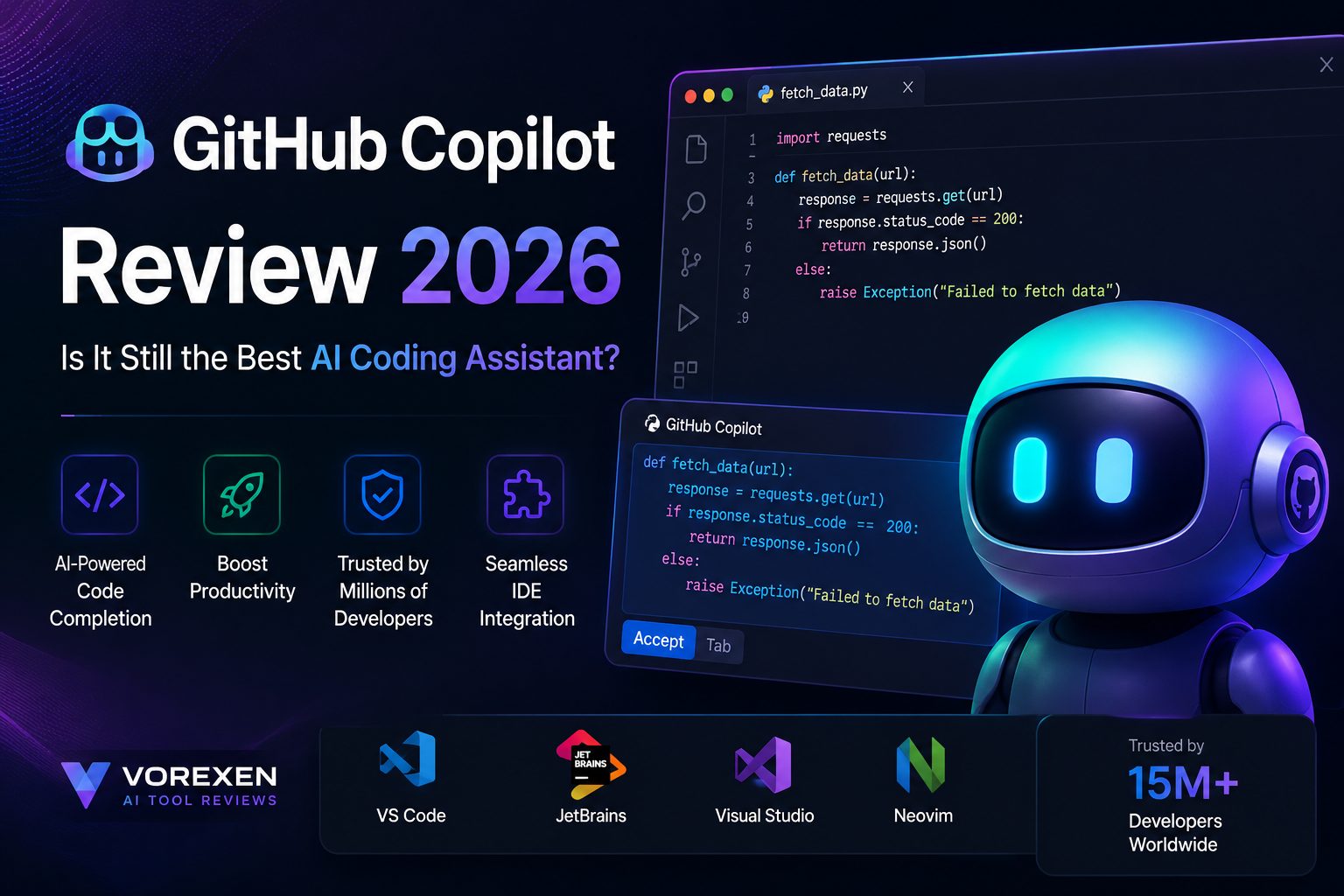
GitHub Copilot Review 2026: Is It Still the Best AI Coding Assistant?
AI coding assistants have rapidly transformed software development, and GitHub Copilot remains one of the most recognized tools in this space. Powered by advanced AI models and deeply integrated into popular IDEs, Copilot promises to help developers write code faster, reduce repetitive work, and improve overall productivity.
But with strong competitors like Cursor, Codeium, ChatGPT, and Amazon Q Developer entering the market, many developers wonder whether GitHub Copilot is still worth paying for in 2026.
In this comprehensive review, we’ll examine GitHub Copilot’s features, pricing, real-world performance, strengths, weaknesses, and comparisons with leading alternatives to help you decide whether it’s the right AI coding assistant for your workflow.
Quick Summary
| Developer | GitHub & Microsoft |
|---|---|
| Category | AI Coding Assistant |
| Best For | Professional Developers, Students, Teams |
| Platforms | VS Code, Visual Studio, JetBrains IDEs, Neovim, GitHub |
| AI Models | OpenAI, Anthropic Claude, Gemini (depending on supported plans/features) |
| Free Plan | Yes |
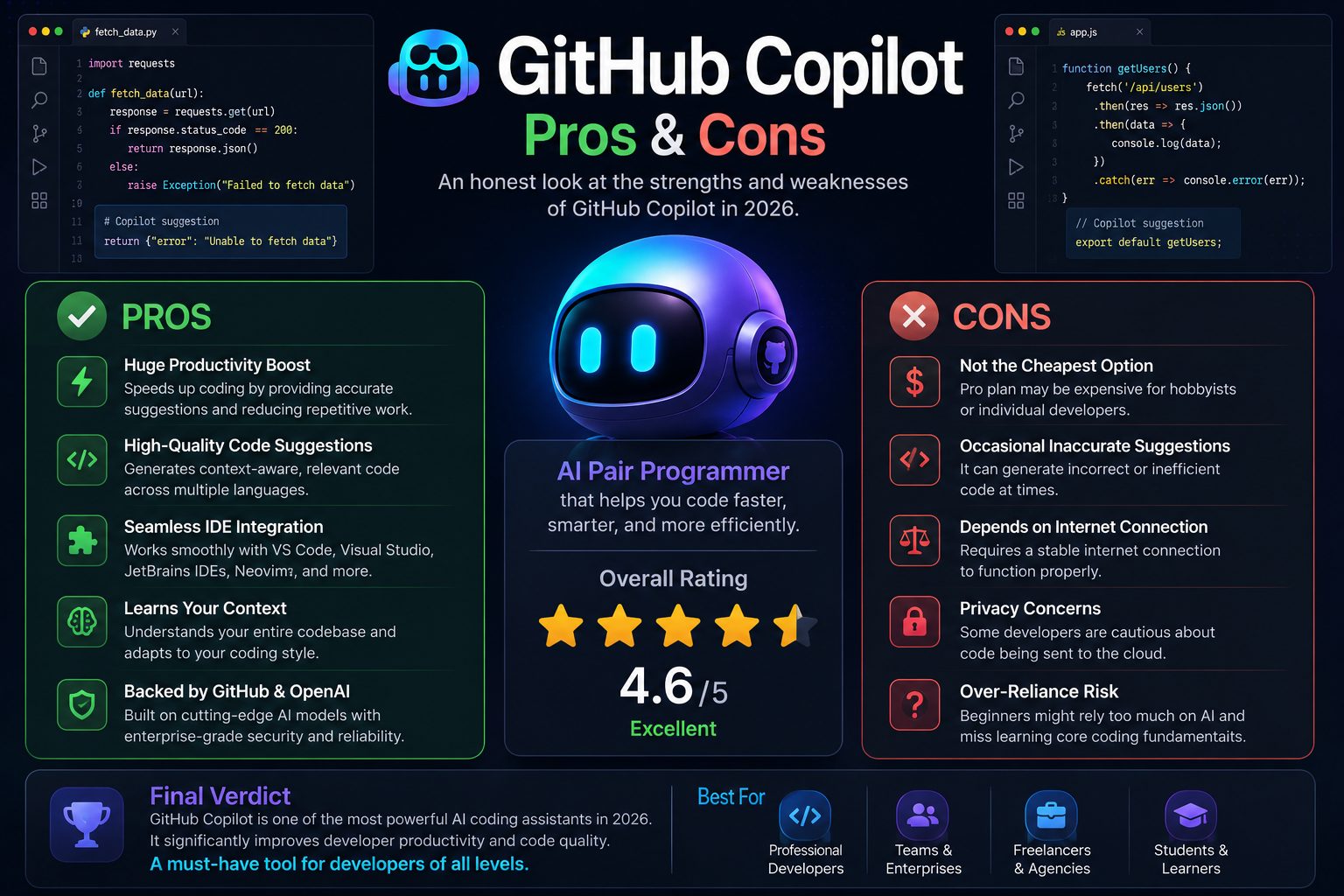
| Overall Rating | ⭐⭐⭐⭐⭐ 4.6 / 5 |
Key Takeaways
- One of the most mature AI coding assistants available today.
- Excellent inline code completion inside your favorite IDE.
- Speeds up repetitive coding tasks significantly.
- Supports dozens of programming languages.
- Works well for debugging, refactoring, documentation, and testing.
- Ideal for professional developers, engineering teams, freelancers, and students.
- Strong ecosystem thanks to GitHub and Microsoft.
- Faces serious competition from Cursor and Codeium in 2026.
What Is GitHub Copilot?
GitHub Copilot is an AI-powered coding assistant developed by GitHub in collaboration with Microsoft. It integrates directly into popular development environments and provides real-time code suggestions while you write code.
Instead of simply generating snippets, Copilot understands your current file, surrounding code, comments, and project context to suggest entire functions, classes, documentation, tests, SQL queries, regular expressions, and much more.
Unlike traditional autocomplete tools, GitHub Copilot leverages modern large language models to generate context-aware code that often feels like working alongside an experienced programming partner.
How We Tested GitHub Copilot
For this review, we evaluated GitHub Copilot across multiple real-world software development scenarios using modern programming environments and popular languages.
Testing Environment
- Visual Studio Code
- JetBrains IntelliJ IDEA
- Visual Studio
- Python
- JavaScript
- TypeScript
- Go
- C#
- PHP
- SQL
Evaluation Criteria
- Code quality
- Suggestion accuracy
- Productivity improvements
- Debugging assistance
- Documentation generation
- Refactoring capabilities
- Learning curve
- Performance inside IDEs
- Enterprise readiness
Each feature was tested repeatedly in practical development workflows instead of relying solely on marketing claims. Our goal was to evaluate how GitHub Copilot performs during everyday software engineering tasks rather than isolated demonstrations.
Core Features
GitHub Copilot has evolved far beyond simple code completion. In 2026, it functions as a full AI development assistant that can generate code, explain complex logic, help debug issues, create documentation, write tests, and accelerate nearly every stage of software development.
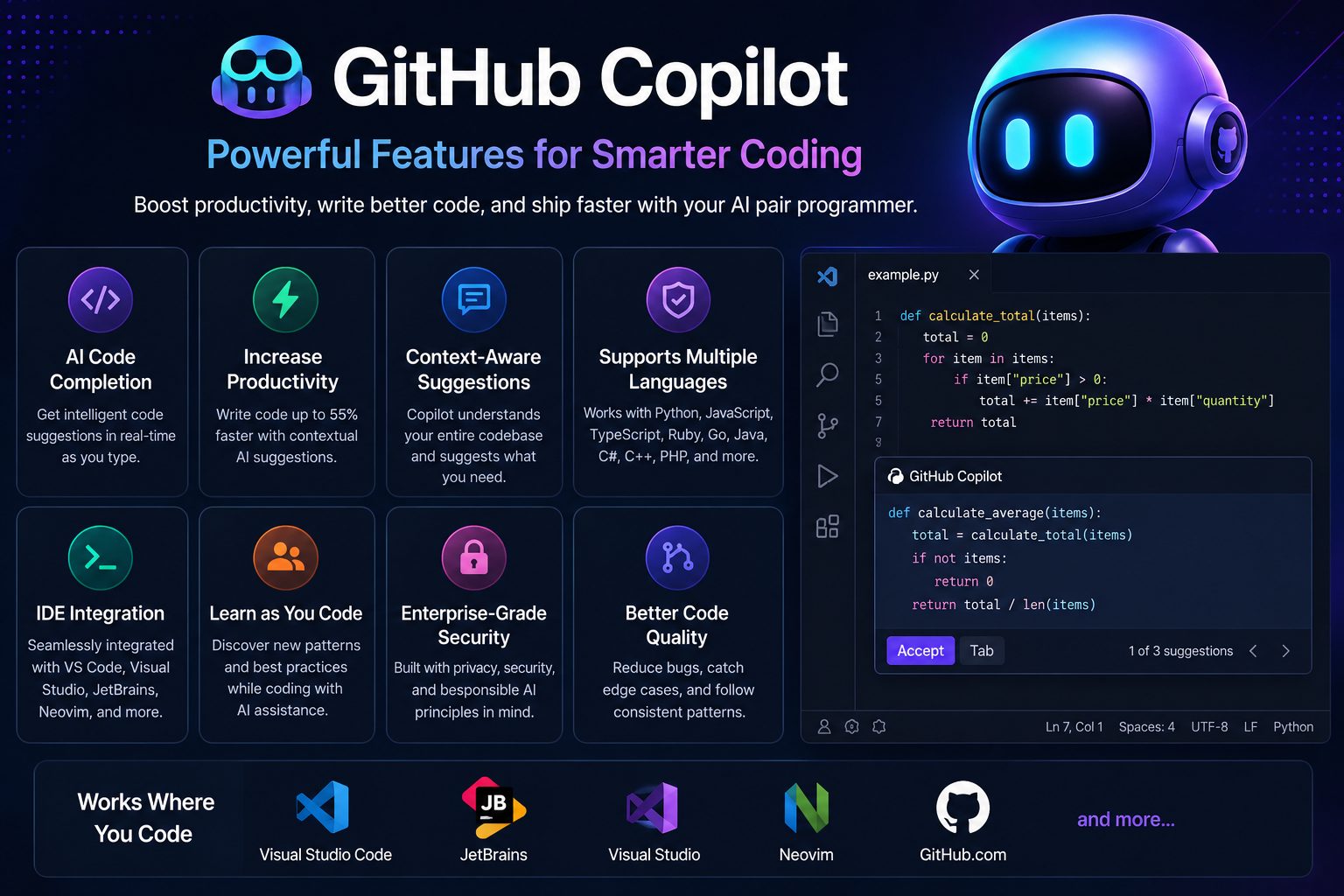
1. Intelligent Code Completion
The feature that made GitHub Copilot famous remains one of its biggest strengths. Instead of completing a single word or variable, Copilot predicts entire blocks of code based on comments, surrounding files, function names, and coding patterns.
In many cases, it can generate complete functions, API endpoints, data models, validation logic, or repetitive boilerplate before you finish typing the first few lines.
2. Copilot Chat
Copilot Chat transforms the assistant from an autocomplete tool into an interactive AI developer. You can ask questions without leaving your IDE, explain unfamiliar code, request refactoring suggestions, generate documentation, or troubleshoot runtime errors.
This dramatically reduces context switching because developers no longer need to search multiple websites for common programming questions.
3. Multi-Language Support
GitHub Copilot supports dozens of programming languages and frameworks, including:
- Python
- JavaScript
- TypeScript
- C#
- Java
- Go
- Rust
- PHP
- Ruby
- Swift
- Kotlin
- SQL
- HTML & CSS
Performance is strongest in widely used languages with large public codebases, although support for less common languages continues to improve.
4. Documentation Generation
Writing documentation is often overlooked during development. Copilot can automatically generate function descriptions, XML comments, Markdown documentation, README files, API explanations, and inline code comments.
This helps teams maintain cleaner and more understandable codebases without spending hours documenting every function manually.
5. Test Generation
Creating unit tests is another area where Copilot saves significant time. It can generate test cases for existing functions, suggest edge cases, and create testing templates for popular frameworks.
While generated tests should always be reviewed, they provide an excellent starting point for improving software quality.
Real-World Performance
Marketing claims are only valuable if they translate into real productivity gains. During our testing, GitHub Copilot consistently reduced repetitive coding work while allowing developers to stay focused inside their IDE.
Software Development
For everyday programming tasks, Copilot performed exceptionally well. CRUD operations, REST APIs, database queries, object models, authentication flows, and utility functions were generated accurately with minimal editing.
It was particularly effective when project structure and naming conventions were already established.
Debugging
Copilot successfully identified common programming mistakes, suggested fixes for syntax and logic errors, and recommended cleaner implementations.
Although it occasionally proposed incomplete fixes for highly complex bugs, it significantly reduced debugging time for routine development.
Refactoring
Refactoring is another area where Copilot excels. It suggested cleaner variable names, simplified nested logic, extracted reusable functions, and modernized older code without changing functionality.
These improvements help maintain cleaner and more maintainable projects.
Learning New Technologies
Developers exploring unfamiliar frameworks can use Copilot to generate practical examples instead of reading lengthy documentation first.
Beginners may particularly appreciate how quickly they can experiment with new libraries while receiving contextual guidance.
Productivity Test Results
| Task | Performance |
|---|---|
| Code Completion | ★★★★★ |
| Boilerplate Generation | ★★★★★ |
| Documentation | ★★★★☆ |
| Debugging | ★★★★☆ |
| Refactoring | ★★★★★ |
| Learning Support | ★★★★☆ |
| Overall Productivity | ★★★★★ |
Best Use Cases
GitHub Copilot is flexible enough to support developers across many different environments.
Professional Software Engineers
Developers working on enterprise applications benefit from faster implementation, reduced repetitive work, and improved coding efficiency.
Freelancers
Freelancers can complete client projects more quickly by automating routine coding tasks while maintaining high-quality output.
Students
Students learning programming can use Copilot to explore examples, understand unfamiliar syntax, and accelerate project development. However, they should avoid relying on AI without understanding the underlying concepts.
Engineering Teams
Teams gain value through consistent coding patterns, faster onboarding, and improved collaboration across large codebases.
Open Source Contributors
Contributors working on GitHub repositories can navigate unfamiliar projects more efficiently by using Copilot for explanations, documentation, and implementation suggestions.
Developer Experience
One of GitHub Copilot’s greatest strengths is its seamless workflow. Suggestions appear naturally as you type, requiring very little interruption.
Unlike standalone AI chatbots, Copilot integrates directly into the development environment, making AI assistance feel like a native part of coding rather than a separate application.
This tight IDE integration is one of the primary reasons many professional developers continue choosing GitHub Copilot despite increasing competition.
GitHub Copilot Pricing
GitHub Copilot offers multiple pricing plans designed for individuals, students, businesses, and enterprise organizations. The free plan is suitable for occasional coding, while paid plans unlock unlimited AI assistance, advanced chat capabilities, and enterprise management features.
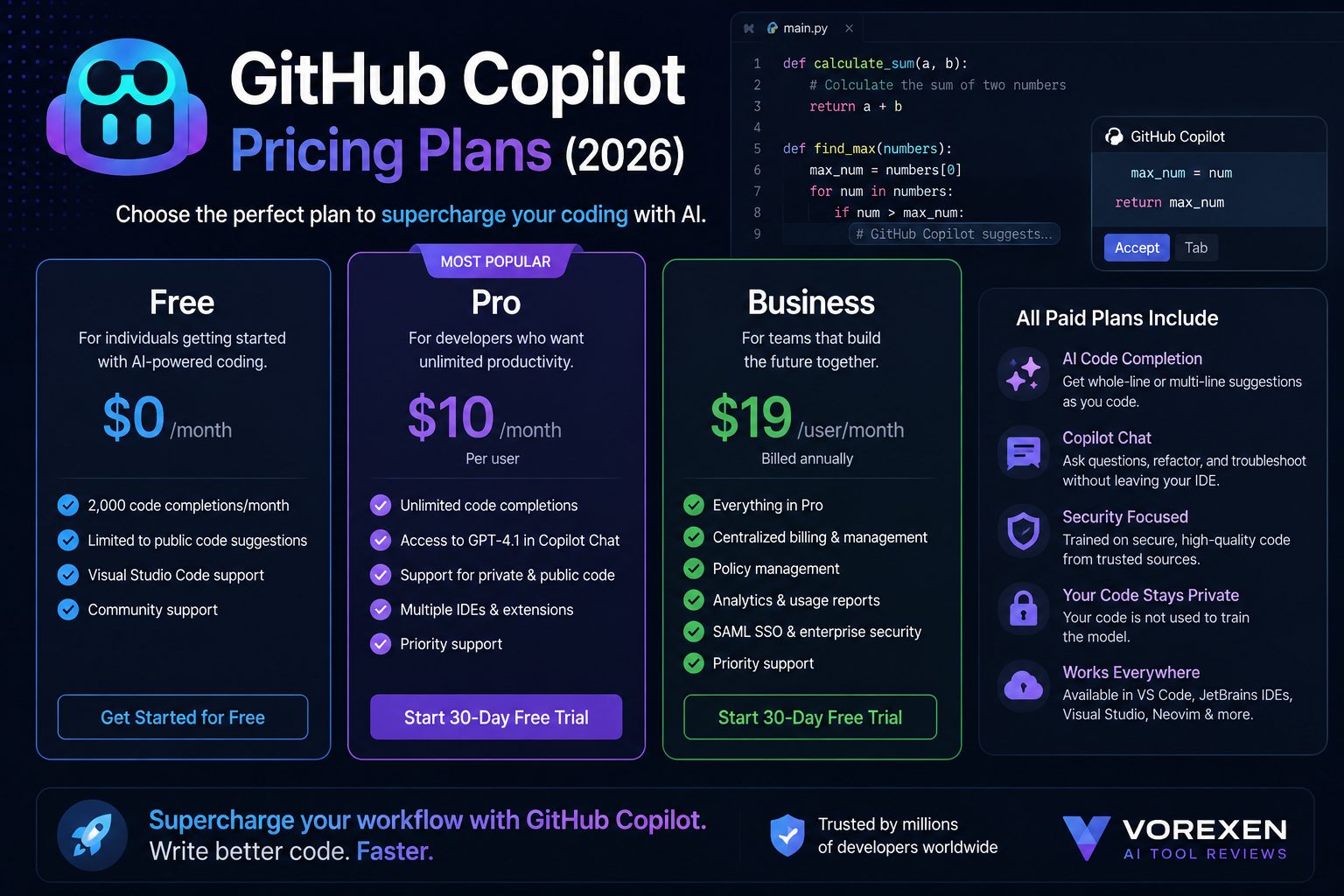
| Plan | Best For | Main Features |
|---|---|---|
| Free | Students & Beginners | Limited AI completions, Copilot Chat access, IDE integration |
| Pro | Professional Developers | Unlimited completions, faster responses, advanced AI features |
| Business | Teams | Organization management, policy controls, centralized billing |
| Enterprise | Large Organizations | Security, compliance, enterprise administration, governance |
The paid plans deliver significantly more value for developers who spend several hours coding each day. For occasional users, the free plan is often sufficient.
Pros and Cons
Pros
- Excellent real-time code completion
- Deep integration with popular IDEs
- High-quality suggestions for common programming tasks
- Supports dozens of programming languages
- Excellent documentation and test generation
- Strong ecosystem backed by GitHub and Microsoft
- Regular AI model improvements
- Ideal for professional software development
Cons
- Advanced features require a paid subscription
- Generated code still requires human review
- Performance decreases for highly specialized domains
- Can occasionally generate outdated coding patterns
- May encourage over-reliance among beginner developers
GitHub Copilot vs ChatGPT
Although both products use modern AI models, they serve different purposes.
GitHub Copilot is optimized for coding directly inside your IDE, while ChatGPT excels at explanations, brainstorming, architecture discussions, debugging conversations, and learning new technologies.
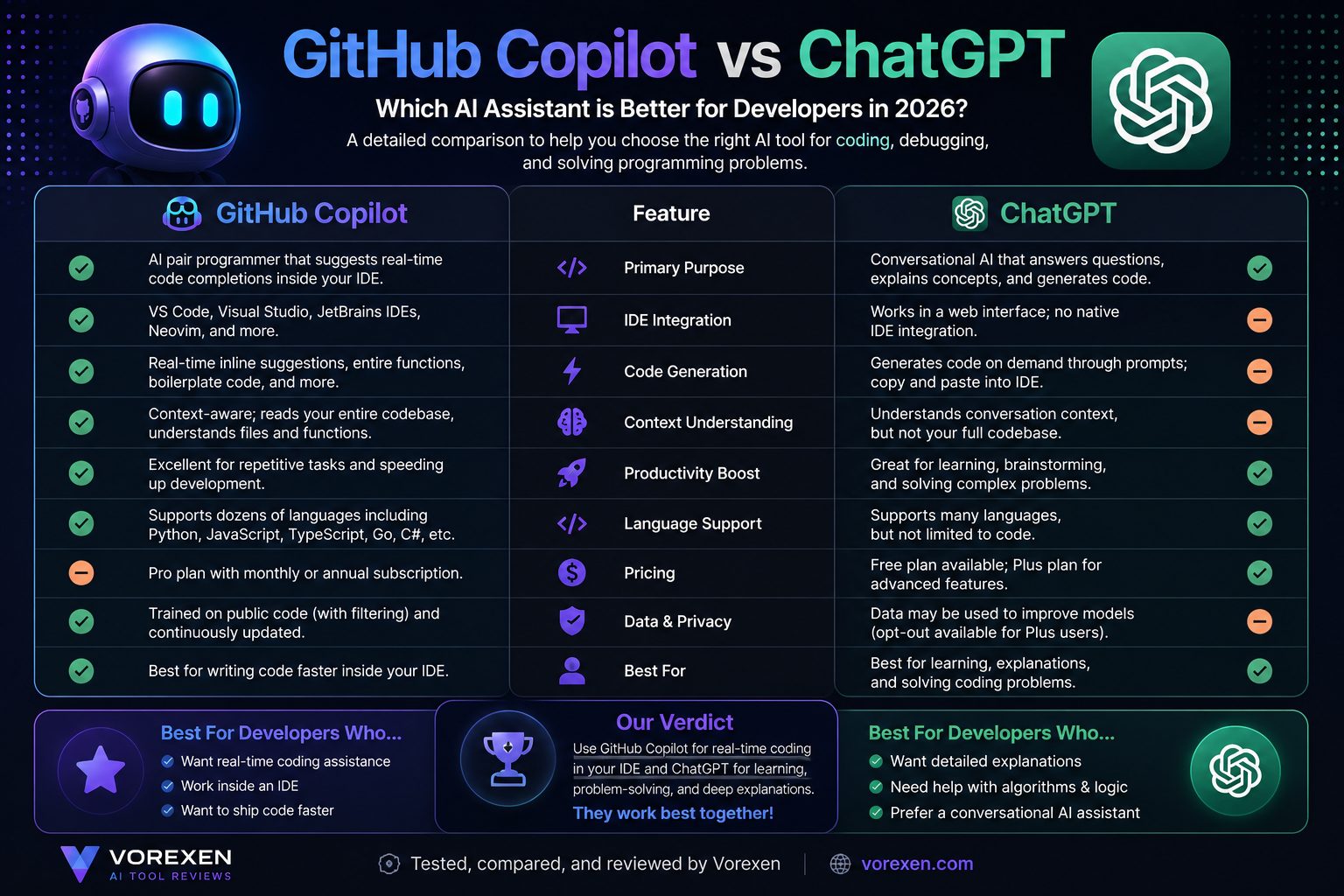
| Feature | GitHub Copilot | ChatGPT |
|---|---|---|
| Primary Focus | AI Coding Assistant | General AI Assistant |
| IDE Integration | ★★★★★ | ★★★☆☆ |
| Programming Help | ★★★★★ | ★★★★★ |
| Learning Concepts | ★★★★☆ | ★★★★★ |
| Code Completion | ★★★★★ | ★★★☆☆ |
Winner: Developers often benefit most from using both tools together. Copilot accelerates coding, while ChatGPT excels at reasoning and explanations.
GitHub Copilot vs Cursor
Cursor has become one of GitHub Copilot’s strongest competitors by building an AI-first code editor rather than a traditional IDE extension.
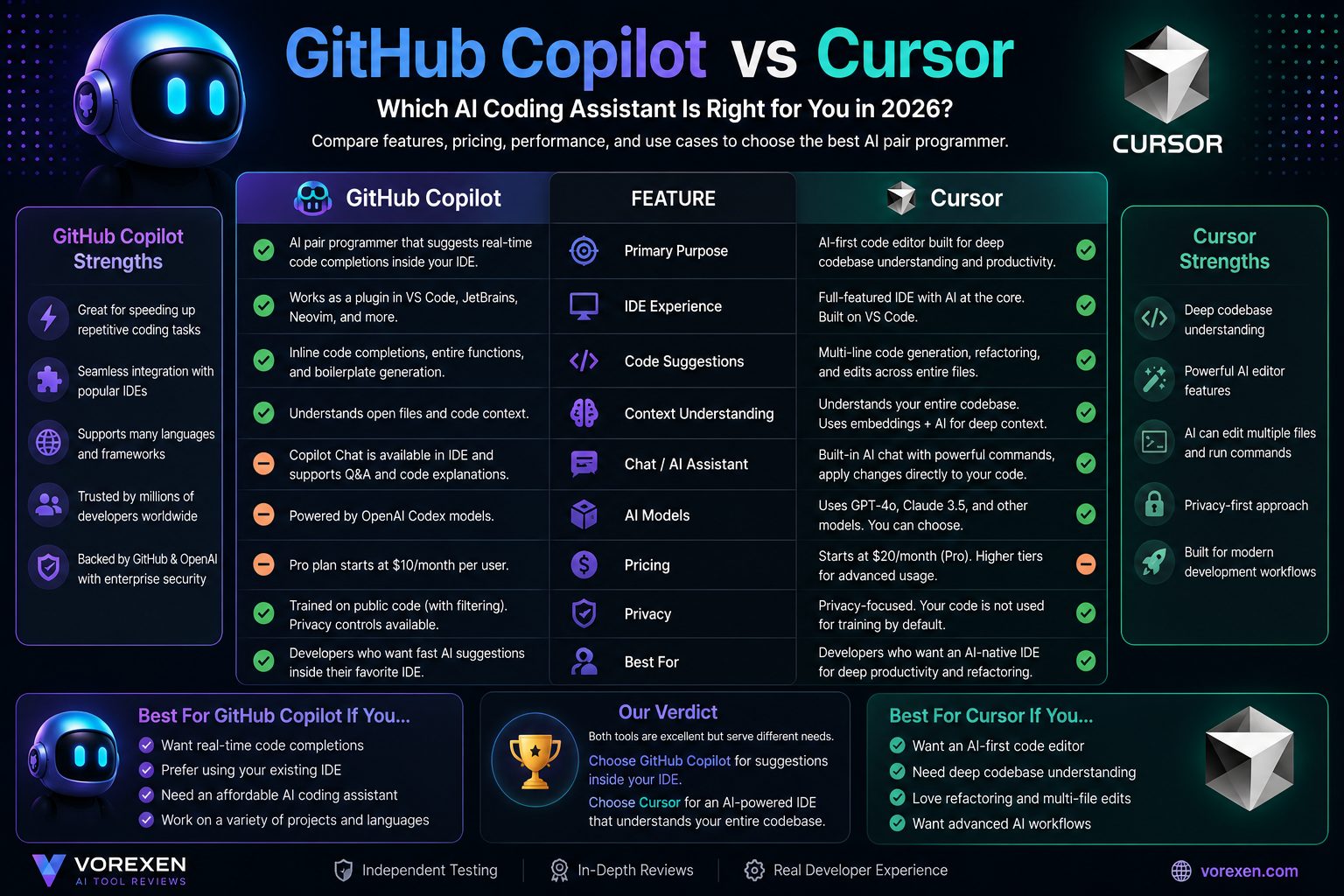
| Category | GitHub Copilot | Cursor |
|---|---|---|
| Existing IDE Support | ★★★★★ | ★★★☆☆ |
| Project Understanding | ★★★★☆ | ★★★★★ |
| Multi-file Editing | ★★★★☆ | ★★★★★ |
| Ease of Adoption | ★★★★★ | ★★★★☆ |
Winner: Choose GitHub Copilot if you want to keep your existing development workflow. Choose Cursor if you prefer an AI-native editor with deeper project awareness.
GitHub Copilot vs Codeium
Codeium has gained popularity by offering generous free features and strong privacy options, making it attractive for individual developers and startups.
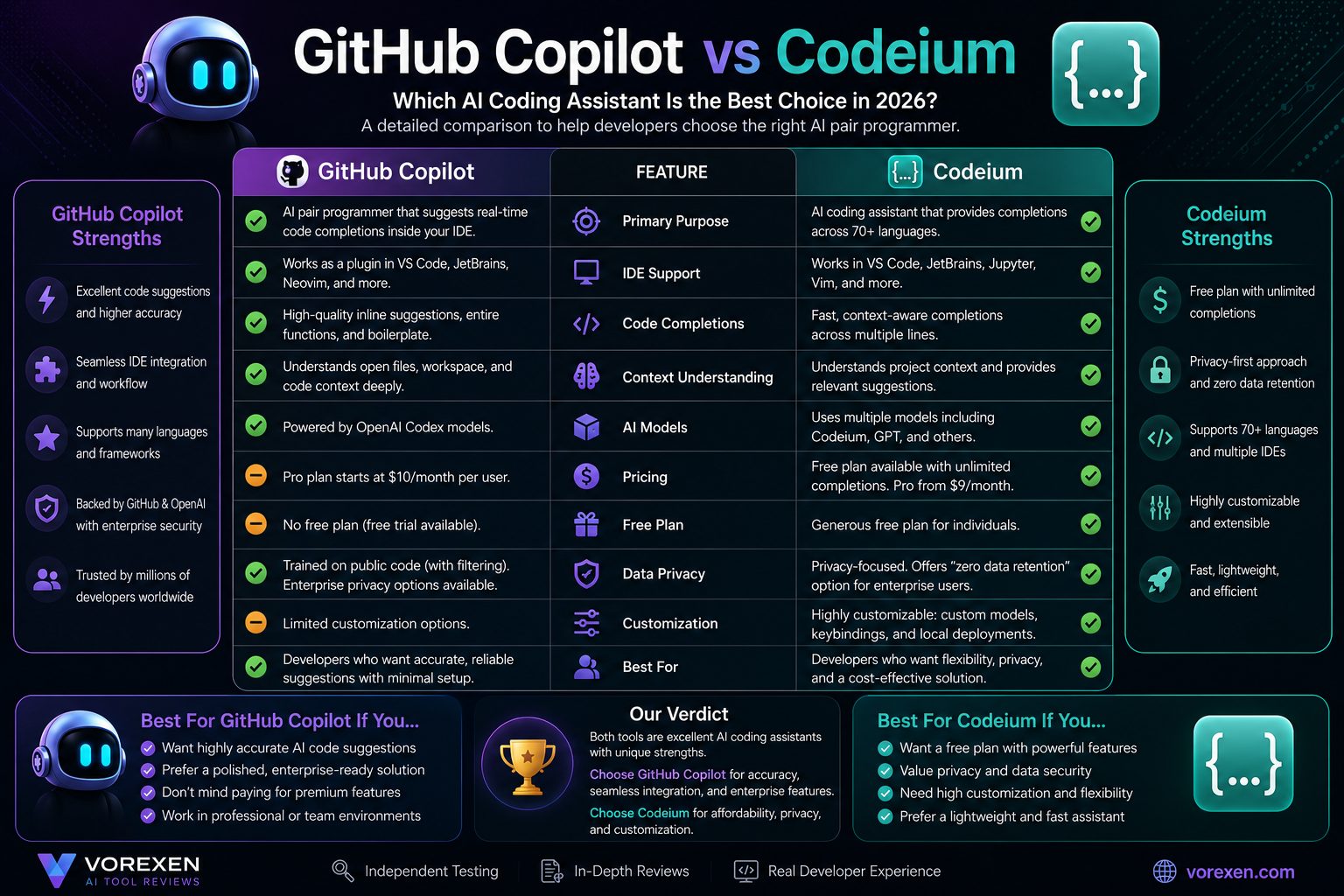
| Category | GitHub Copilot | Codeium |
|---|---|---|
| Code Accuracy | ★★★★★ | ★★★★☆ |
| Free Plan | ★★★★☆ | ★★★★★ |
| Enterprise Features | ★★★★★ | ★★★★☆ |
| Customization | ★★★★☆ | ★★★★★ |
Winner: GitHub Copilot is the better choice for enterprise reliability and mature workflows, while Codeium is an excellent option for developers seeking powerful free AI coding assistance.
Best Alternatives
- Cursor
- Codeium
- Amazon Q Developer
- ChatGPT
- Claude
- Gemini Code Assist
- Tabnine
- JetBrains AI Assistant
Who Should Use GitHub Copilot?
- Professional software engineers
- Full-stack developers
- Backend developers
- Frontend developers
- DevOps engineers
- Students learning programming
- Freelancers building client projects
- Engineering teams using GitHub workflows
Who Should Avoid GitHub Copilot?
- Developers who rarely write code
- Users looking for a completely free long-term solution
- Organizations with strict offline development requirements
- Beginners who prefer learning every concept manually before using AI assistance
Related Articles
- ChatGPT Review (2026)
- Claude AI Review (2026)
- Google Gemini Review (2026)
- Best AI Tools in 2026
- Best AI Coding Tools
- AI Assistants
- AI Chatbots
- AI Writing Tools
- Perplexity Review
- Microsoft Copilot Review
Frequently Asked Questions (FAQ)
Is GitHub Copilot worth paying for in 2026?
Yes. If you write code regularly, GitHub Copilot can significantly increase productivity by generating high-quality code suggestions, reducing repetitive work, and helping with documentation, debugging, and testing. For most professional developers, the time saved easily justifies the subscription cost.
Can beginners use GitHub Copilot?
Absolutely. Beginners can learn faster by studying AI-generated examples and explanations. However, it’s important to understand the generated code instead of copying it without learning the underlying concepts.
Does GitHub Copilot replace software developers?
No. GitHub Copilot is an AI assistant, not a replacement for developers. Human judgment is still essential for software architecture, security, testing, business logic, and code review.
Which IDEs support GitHub Copilot?
GitHub Copilot integrates with Visual Studio Code, Visual Studio, JetBrains IDEs, Neovim, and several other popular development environments.
Which programming languages are supported?
GitHub Copilot supports dozens of languages, including Python, JavaScript, TypeScript, Java, C#, Go, PHP, Rust, Ruby, Swift, Kotlin, SQL, HTML, and CSS.
Is GitHub Copilot better than ChatGPT?
They serve different purposes. GitHub Copilot is optimized for real-time coding inside your IDE, while ChatGPT is better for explanations, planning, architecture discussions, debugging conversations, and learning new technologies. Many developers use both together.
Is GitHub Copilot safe for enterprise development?
GitHub provides enterprise-grade security, administration, and policy management features. Organizations should still review internal security policies before adopting any AI coding assistant.
Final Verdict
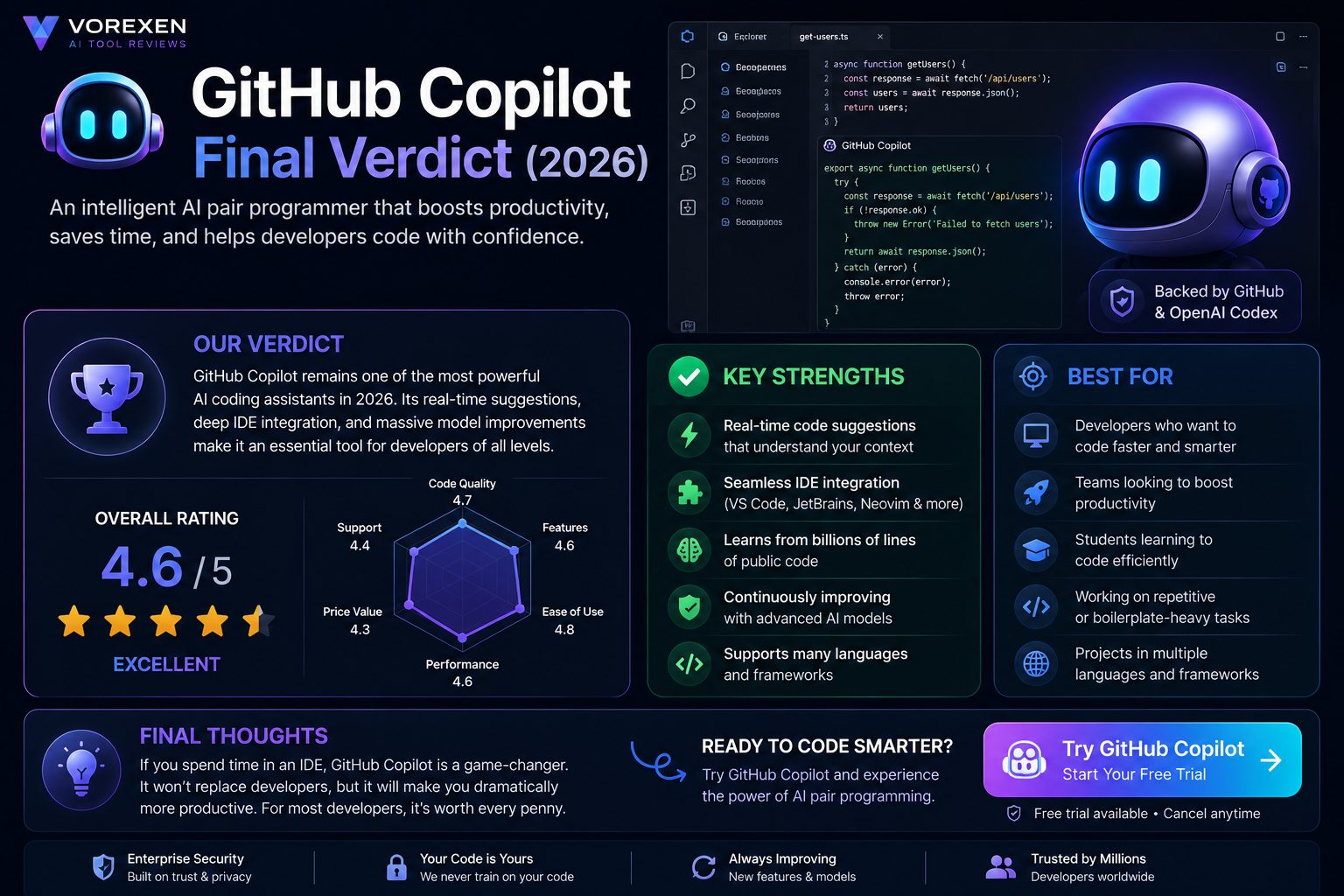
GitHub Copilot remains one of the strongest AI coding assistants available in 2026. Its seamless IDE integration, intelligent code completion, powerful AI chat capabilities, and mature ecosystem make it an outstanding productivity tool for developers of all experience levels.
While competitors such as Cursor and Codeium continue to innovate, GitHub Copilot delivers an excellent balance of reliability, usability, ecosystem support, and enterprise readiness.
If you spend several hours each week writing code, GitHub Copilot can dramatically reduce repetitive work, accelerate development, and improve your overall coding experience. It won’t replace software engineers, but it can become one of the most valuable tools in your development workflow.
Overall Rating
| Category | Score |
|---|---|
| Ease of Use | 4.9 / 5 |
| Code Quality | 4.8 / 5 |
| AI Features | 4.8 / 5 |
| IDE Integration | 5.0 / 5 |
| Performance | 4.7 / 5 |
| Value for Money | 4.5 / 5 |
| Overall Rating | ⭐⭐⭐⭐⭐ 4.8 / 5 |
Ready to Code Smarter?
If you’re looking for an AI coding assistant that integrates naturally into your workflow and helps you write better code faster, GitHub Copilot is one of the best choices available today.
Related Articles
- ChatGPT Review (2026)
- Claude AI Review (2026)
- Google Gemini Review (2026)
- Microsoft Copilot Review (2026)
- Perplexity AI Review (2026)
- Best AI Tools in 2026
- Best AI Coding Tools
- AI Assistants
Last Updated: July 2026
Our reviews are independently researched and updated regularly to help developers choose the best AI tools for their workflow.